
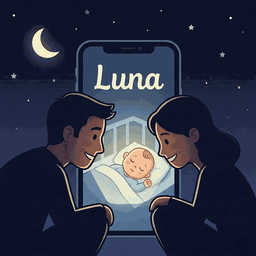
Peace of mind for modern parents
Transform any device into a secure baby monitor. Crystal clear audio, instant alerts, and end-to-end encryption—all from your smartphone.
- ✓ Free to download · no ads
- iPhone, iPad & web browser
- WiFi, 4G & 5G
Everything you need to keep your baby safe
Designed by parents, for parents. We've built the features we always wanted in a baby monitor.
Crystal Clear Audio
Advanced noise filtering ensures you hear every precious sound with perfect clarity.
Smart Sound Alerts
Instant push notifications when crying is detected, with sensitivity you can tune from a whisper to a wail.
Auto-Soothe
Crying detected? The app automatically plays your chosen lullaby or white noise with a gentle fade-in.
Soothing Sounds
13 built-in white noise tracks, lullabies, and nature sounds to help your baby drift off.
Activity Timeline
See every sound event from the night at a glance — know exactly when your baby stirred.
End-to-End Encrypted
Audio and video travel directly between your devices, encrypted with DTLS-SRTP. Nothing is recorded or stored on our servers.
Works Anywhere
Monitor your baby from any location with reliable internet connectivity.
Two-Way Talk
Soothe your baby with your voice from anywhere in your home or beyond.
Device Health Alerts
Get notified if the baby device goes offline or runs low on battery — before it becomes a problem.
Use Your Computer Too
No spare phone? Open BabyMonitor Luna in any modern browser and use your laptop as the parent or baby device.
Setup in under 2 minutes
No hardware needed. Just download the app and start monitoring.
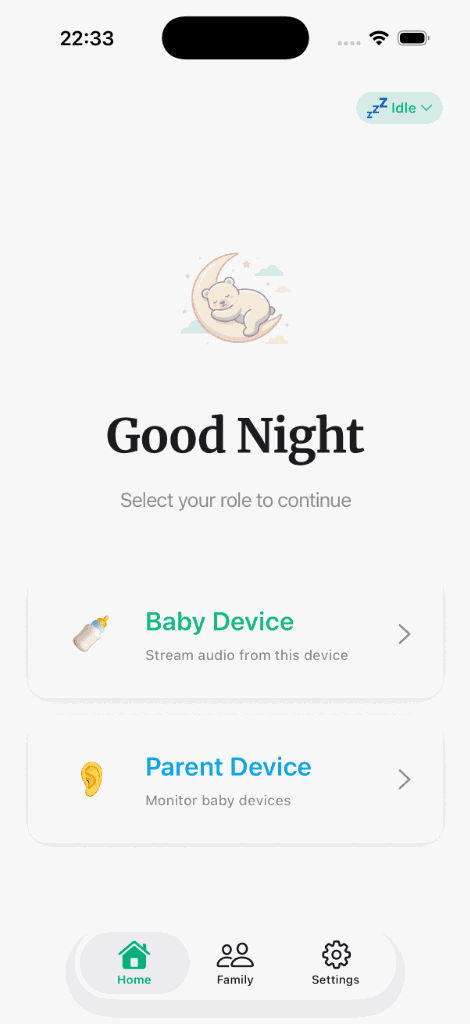
- Download the AppGet BabyMonitor Luna for free on iOS. Create your account in seconds.
- Set Up DevicesPlace one phone near baby as the transmitter. Use another as the receiver.
- Start MonitoringConnect securely and monitor your baby from anywhere with peace of mind.

Get BabyMonitor Luna on the App Store
Free to download, set up in under two minutes, and nothing to buy but a second phone you already own. Premium adds HD video with a 7-day free trial.
- iOS 15.1 or later
- iPhone & iPad
- Free · in-app purchases
No second phone? Use your computer.
Sign in with the same account in any modern browser. Your laptop can listen to the baby phone — or sit by the crib as the baby device while you listen on your iPhone.
Open the web appOn Android? Join the waitlist.
We'll email you the moment BabyMonitor Luna launches on Google Play.
Frequently asked questions
Everything parents ask before downloading.
Do I need two iPhones to use it?
You need two devices. One stays with the baby (Baby Device) and the other stays with you (Parent Device). Any two iPhones or iPads running iOS 15.1 or later will work — even an older phone you're no longer using. No second phone? Any computer with a modern browser can be the parent or baby device: sign in on the web with the same account.
Does it work over cellular data, or only WiFi?
Both. BabyMonitor Luna uses WebRTC to stream audio and video directly between devices. It works over WiFi, 4G, and 5G, so you can check on your baby from anywhere in the world — not just from the next room.
Is the audio and video secure?
All streams are end-to-end encrypted using WebRTC's built-in DTLS-SRTP. No audio or video is ever stored on our servers — the connection is peer-to-peer between your devices.
How does sound detection work?
The baby device listens in the background and triggers a push notification whenever sound crosses the sensitivity threshold you set. You can tune sensitivity from 'only loud cries' all the way to 'quiet rustling.'
What is Auto-Soothe?
When the baby device detects crying, it automatically plays the lullaby or white noise track you've chosen, fading in gently and stopping after a set duration. You pick the sound, the volume, and how long it plays. Auto-Soothe is a Premium feature.
Can I see what happened during the night?
Yes. The Activity tab shows a timeline of every sound event with timestamps, so you know exactly when your baby stirred. Free accounts see the last 24 hours; Premium keeps your full history.
Will it drain my phone's battery?
The baby device uses about 10–15% battery per hour while streaming. We recommend keeping it plugged in during longer monitoring sessions. The parent device uses much less since it's only receiving the stream.
What happens if my internet goes out?
The app will try to reconnect automatically. If reconnection fails, the parent device will show an offline indicator so you know immediately. Standalone mode (sound alerts only, no streaming) continues to work locally on the baby device.
Can I use it as a nanny cam or for elderly care?
Yes — while the app is designed for babies, many families use it to check on elderly relatives, pets, or when they step out briefly. Any scenario where you need to listen in or see a live video feed works.
Is there an Android version?
Not yet — the app is iOS-only for now, and Android is on the roadmap. You can join the waitlist on our homepage and we'll email you the moment it's available. In the meantime, the web app works in any modern browser, so a computer can be your parent or baby device.
Read this page in your language
Free to download. Set up in two minutes with the phones you already have.
Download on theApp StoreSee pricing